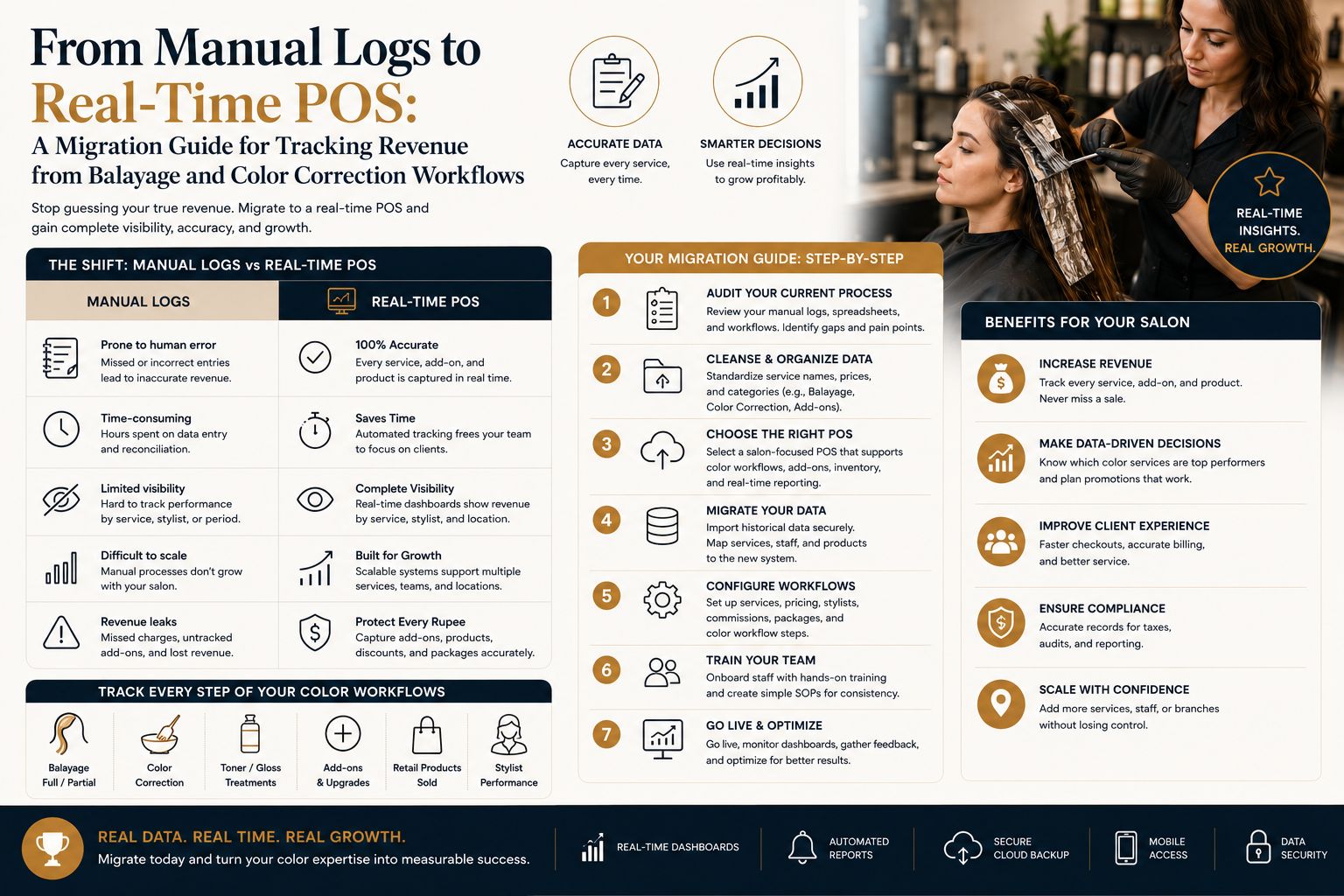


Manual logs for tracking revenue from balayage and color correction workflows... yeah, they often lead to missed charges, double bookings, and honestly, inaccurate profit reports. I mean especially during those crazy busy salon hours when stylists are juggling multiple clients and they just forget to record every add-on step—who can blame them, really?
Understanding the Revenue Leak in Manual Logs
When you rely on paper or spreadsheet logs for balayage and color correction services, revenue tracking gets kinda fragmented. You know why? Because these treatments involve multiple phases like pre-lightening, toning, and glossing, and each one needs separate time and product costs that... well, they often just go completely unrecorded.
What a Real-Time POS System Fixes Immediately
A real-time POS system captures every service step as it happens—so if a stylist adds an extra toner during a color correction session, the system logs the product usage and additional charge instantly. That eliminates the common gap where manual logs just miss incremental revenue from those add-on steps entirely.
Common Mistakes When Transitioning from Logs to Digital Tracking
Here's the thing—many salon owners assume they can simply switch to a POS without updating their service menu structure first. But this causes major confusion because balayage and color correction workflows have variable pricing based on hair length, density, and technique. You've got to pre-configure all that in the system to avoid undercharging, or else you're still losing money.
How to Choose the Right Timing for Migration
Plan your migration during a slower booking period, like the week after a major holiday. That way staff can practice entering color correction steps in real time without the pressure of a full appointment book. It reduces errors and improves adoption rates among stylists who are new to this whole digital tracking thing—some of them really resist it at first.
FAQ
q: Why do manual logs cause revenue loss for color correction services?
a: Manual logs often miss the additional charges for multiple toner applications and blending techniques used in color correction, so the final bill ends up lower than what was actually provided. That's just money walking out the door.
q: How does a real-time POS track balayage steps differently from a spreadsheet?
a: A real-time POS lets you set up customizable service packages that include pre-lightening, glossing, and finish work—so each step gets logged and charged immediately as the stylist completes it. No more relying on memory.
q: What is the biggest risk during the migration from manual logs to digital systems?
a: The biggest risk? Losing historical data during the switch. So you absolutely must export all past client records and service logs from your spreadsheets before you even think about deactivating the manual system.
q: Should I train my staff before or after I install the POS system?
a: Train your staff on the new POS system at least one week before you go live—use mock balayage and color correction sessions so they feel comfortable entering complex workflows in real time without errors. Otherwise, chaos.