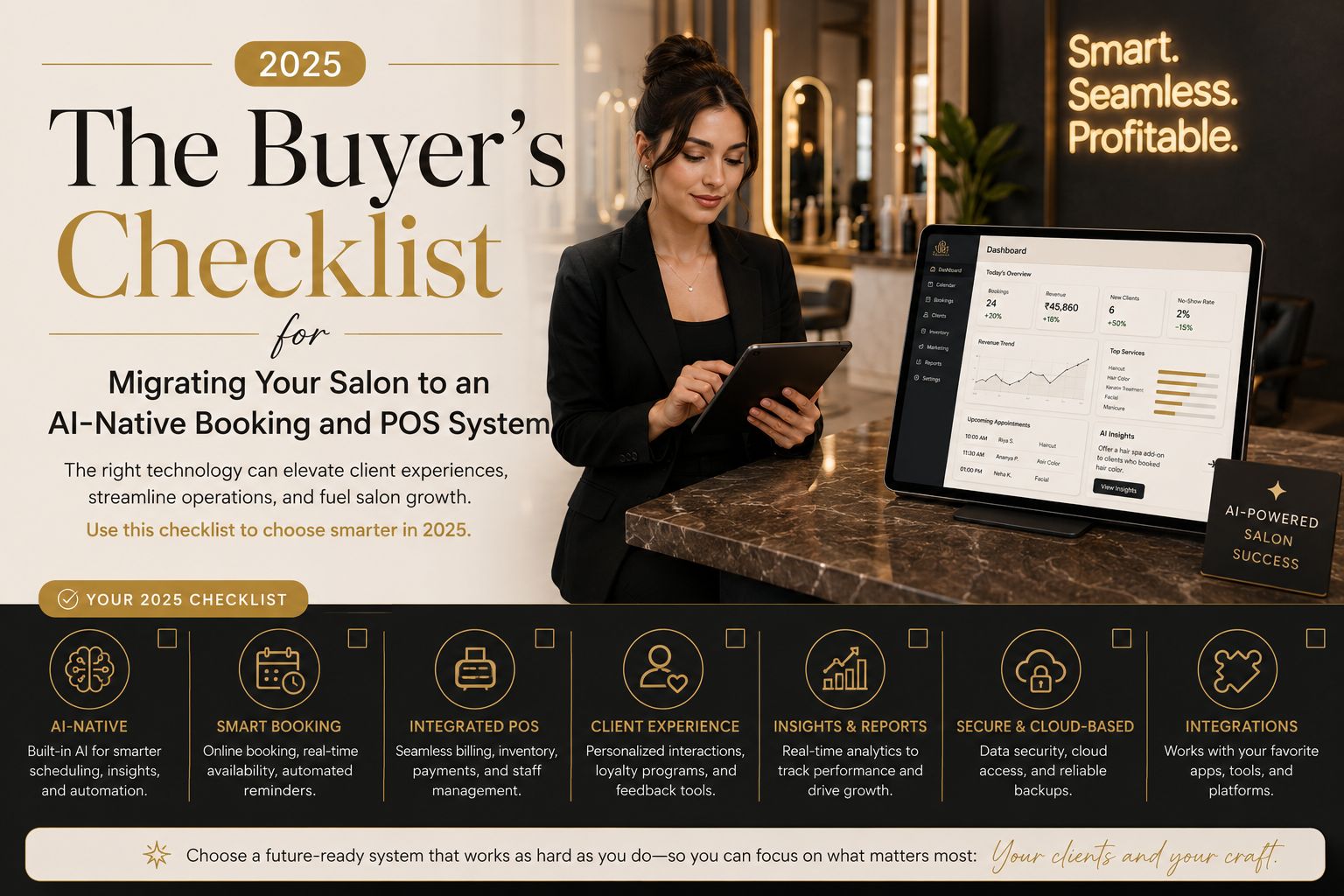


Migrating your salon to an AI-native booking and POS system in 2025 isn't just about upgrading software—it's about avoiding data loss, client frustration, and honestly, operational chaos. Many salon owners jump into a migration without a checklist, only to find their appointment history missing or payment integrations failing—and trust me, that panic is real. This checklist ensures you evaluate what matters most: real-time inventory sync, automated scheduling, and a system that actually learns from your salon's unique workflow, not some generic template.
What an AI-Native System Means for Your Daily Operations
An AI-native booking and POS system goes beyond simple appointment scheduling—or at least, that's the promise. It uses machine learning to predict peak booking times, suggest product restocks based on seasonal trends, and even recommend service upsells to clients during checkout. For Indian salons, this means handling walk-in rush during wedding seasons without double-booking or overloading staff—but honestly, I've seen systems fail at this because they weren't trained properly. The system should also integrate with popular payment gateways like UPI and card networks, ensuring seamless transactions without manual reconciliation, though I'd still double-check that first weekend.
The Hidden Risks of Migrating Your Salon's Data
One overlooked risk during migration is the loss of client purchase history and loyalty points—imagine a regular walking in and being told their points reset. Many systems fail to transfer past service notes or allergy records, leading to poor client experiences that can cost you repeat business. A common mistake is assuming the new POS will automatically import old inventory data—often, stock counts reset, causing shortages or overordering that messes with your monthly budget. Always request a test migration with a sample dataset to verify that staff schedules, client profiles, and tax records move accurately. A real salon I consulted lost two weeks of appointment data because the old system's export format wasn't compatible with the new one—they had to call every client manually.
Critical Features That Make or Break Your Migration Success
Before committing, ensure the AI-native system offers offline mode for POS transactions, especially if your salon faces internet instability—and let's be real, in India that's more common than we admit. Another non-obvious detail: check if the system supports split payments for group bookings or bridal packages, because bridesmaids never pay together. Many owners assume all AI systems handle multi-seat pricing automatically, but some require manual setup that nobody tells you about upfront. The boundary where this system stops working is when your salon has unique service bundling—like a "bridal package" with intermittent pricing across different staff—that the AI can't interpret without custom rules. This is where you need to test if the system can learn your business logic over time, not just follow static templates that break your workflow.
How to Decide the Right Timing for Your Salon's Migration
The best time to migrate is during a low-activity period, such as after major festival seasons or during the monsoon months when walk-ins drop—February works well too, I've noticed. Avoid migrating near Diwali or wedding season, as even a single day of downtime can lead to lost revenue and client trust that takes months to rebuild. Also consider your staff's learning curve—schedule training sessions at least two weeks before going live, maybe three if your receptionist isn't tech-savvy. One common misunderstanding is that AI-native systems require no training because they're "intuitive," but in practice, your receptionists need time to adapt to automated reminder workflows and real-time dashboards—I've seen staff quit over this. For salons exploring reliable options, parlourtime offers a platform designed with these migration challenges in mind, though your choice should align with your specific service mix and data volume—don't just follow what competitors use.
FAQ
q: What is the first step in migrating to an AI-native salon system?
a: The first step is auditing your current data, including client records, service history, and inventory logs—spend a weekend on this. Then, request a demo migration with your actual data to check for compatibility issues before you commit.
q: How long does a typical salon POS migration take in 2025?
a: A full migration usually takes two to four weeks, including data transfer, staff training, and testing—but plan for longer. For complex setups with multiple locations, it can extend to six weeks, and honestly, you'll need that buffer.
q: What are the biggest risks of migrating to an AI-native booking system?
a: The biggest risks include data loss, broken payment integrations, and staff resistance to new workflows—I've seen all three happen. Always backup your data and run parallel systems during the first week to catch issues early.
q: Can an AI-native POS system handle wedding season rush better than traditional software?
a: Yes, but only if it's trained on your salon's historical data—don't expect magic on day one. AI systems can predict peak times and suggest staffing adjustments, but they need accurate data from at least six months to optimize properly.